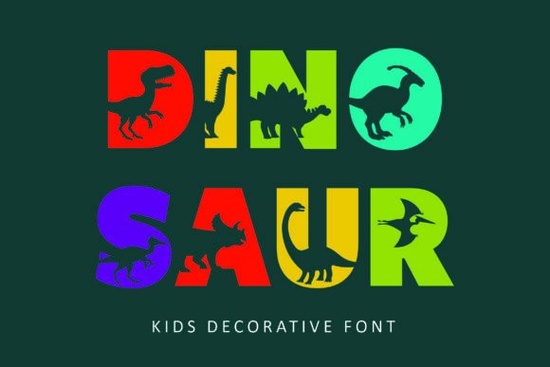
Looking for a Dinosaur Font that actually makes kids stop and stare? The Dinosaur decorative typeface from Creative Fabrica features adorable dinosaur silhouettes cut directly into each capital letter. It's bold, blocky, and surprisingly easy to read even with all that prehistoric personality baked in. If you design for children's projects, this font solves a real problem: how to make text fun without sacrificing clarity.
Designers, crafters, and small business owners across niches use Dinosaur for everything from nursery wall art to birthday party kits. Below, I'll walk through what makes it work, where to use it, and how to pair it with other fonts for the best results.
What Makes This Dinosaur Font Different From Other Kids' Fonts?
Plenty of children's fonts use rounded shapes or cartoonish lettering. This one takes a different approach. Every uppercase letter contains a cut-out dinosaur silhouette inside its form. You get the shape of a T-Rex, a Triceratops, or a Stegosaurus right inside the letter without losing the letter's readability.
The lowercase letters stay clean and simple, which means you can mix cases without overwhelming your layout. The overall style is bold and blocky, so it holds up well at large sizes on posters and banners, and it remains legible when scaled down for smaller items like stickers or labels.
Where Does a Dinosaur Decorative Font Work Best?
This typeface shines in projects where the audience is young or young at heart. Here are the most popular uses I've seen from crafters and designers:
- Nursery decor and wall art prints, canvas wraps, and framed quotes for kids' rooms
- Birthday invitations and party supplies invites, banners, cupcake toppers, and favor tags
- Children's book covers especially picture books with animal or adventure themes
- Educational materials flashcards, classroom posters, alphabet charts, and worksheets
- Kid-friendly branding daycare logos, toy packaging, children's clothing lines
- Print-on-demand products t-shirts, mugs, tote bags, and sticker sheets
For POD sellers specifically, dinosaur-themed designs are consistently popular. Parents search for dino-themed party supplies and room decor year-round, with a noticeable spike around birthday season planning.
How Do You Pair This Font With Other Typefaces?
Since Dinosaur is a display font with strong personality, it works best for headlines and short phrases. Pair it with a clean sans-serif or a simple handwritten font for body text and supporting copy.
Creative Fabrica offers a range of bold kids' decorative fonts if you want to build a collection for children's projects. If your next project leans playful but not necessarily prehistoric, a cute dog font brings a similar whimsical energy. For seasonal summer projects beach party invites, vacation-themed designs a beach life font pairs nicely alongside the Dinosaur font for a full kids' product line. And when you need something softer for invitations or feminine children's branding, elegant script picks like the Adaline font balance out the boldness.
What File Formats and Licensing Do You Get?
When you download from Creative Fabrica, you typically receive standard web and desktop font files. The platform's licensing covers both personal and commercial use, which matters if you're selling finished products. Always double-check the specific license terms on the product page before listing items for sale, especially for POD platforms that have their own content policies.
Tips for Getting the Most Out of This Font
A few practical notes from designers who use decorative children's fonts regularly:
- Use all-caps headlines to show off the dinosaur silhouettes inside each letter
- Keep text short single words or short phrases look best with this style
- Choose solid, contrasting colors so the cut-out details stay visible
- Test at your final print size before committing to a design, especially for small items
- Avoid using it for long paragraphs the decorative details can make dense text feel heavy
Quick Checklist Before You Start Designing
- Download the font and install it on your system
- Open your design tool (Canva, Photoshop, Illustrator, or Cricut Design Space)
- Type your headline using uppercase letters to activate the dinosaur silhouettes
- Pair with a simple secondary font for any supporting text
- Choose a background color that contrasts with the font color for maximum readability
- Export at the right resolution for your end use (300 DPI for print, 72 DPI for web)
Start with one small project a single birthday invite or a nursery print and see how the font fits your style. Once you've tested it, you'll have a better sense of which products in your shop or lineup it works best for. Learn More
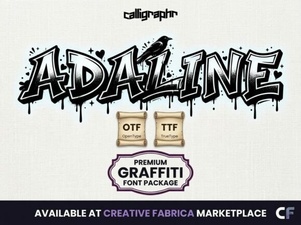 Adaline Font: a Stylish Typeface for Creative Projects
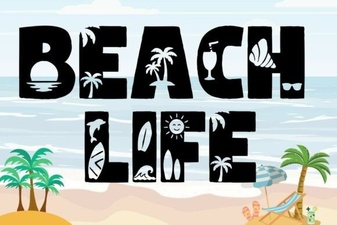 Beach Life Font: Fun Coastal Typography for Summer Designs
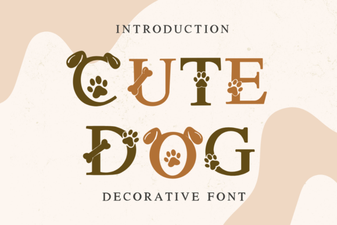 Cute Dog Font: Playful Typography for Creative Projects
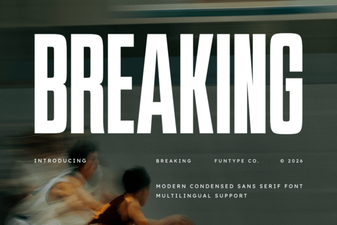 Breaking Font: Bold Typography Ideas for Modern Design
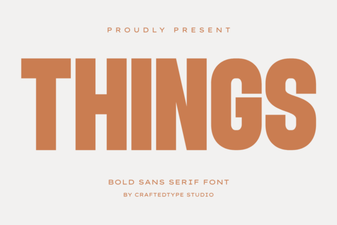 Things Font: a Minimalist Typeface for Creative Projects
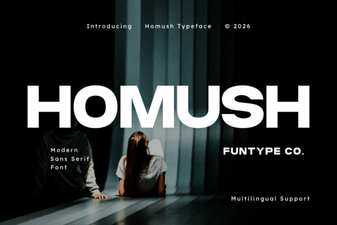 Homush Font: a Creative Typeface for Modern Designs