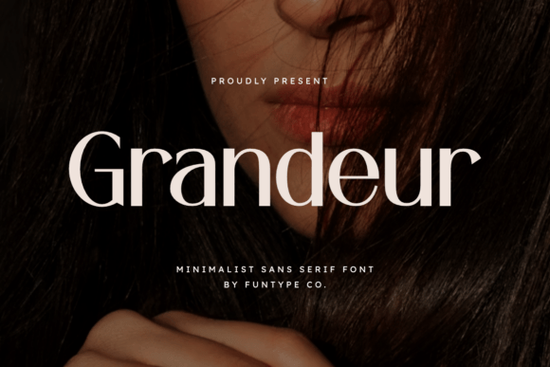
Grandeur Font is a bold, minimalist sans serif built for designers who need their typography to make a strong impression without relying on decorative tricks. It has a solid, refined structure with clean lines that work beautifully for luxury branding, fashion logos, headline text, and digital posters. If you've been searching for a typeface that feels confident and polished without being overly complicated, this one deserves a closer look.
What Makes Grandeur Font Stand Out From Other Sans Serifs?
There are thousands of sans serif fonts available, so what makes this one worth paying attention to? The answer is in its balance. Grandeur doesn't try to be loud or quirky. Instead, it focuses on precision and weight. Every letter feels intentional, with consistent proportions and a strong visual presence on screen and in print.
Compared to something like Breaking Font, which leans more into a bold, impactful editorial style, Grandeur takes a more refined approach. It's less about shouting and more about commanding attention through simplicity. That distinction matters when you're working on projects where elegance is just as important as strength.
What Types of Projects Work Best With Grandeur?
This font was designed with high-impact visual projects in mind. Here are some practical uses where it really shines:
- Luxury brand logos – Its clean structure gives logos a premium, polished feel
- Fashion and beauty branding – Works well for labels, packaging, and lookbook headers
- Digital posters and banners – Large-scale text stays sharp and readable
- Website headlines – Grabs attention without overwhelming the rest of your layout
- Social media graphics – Bold enough to pop on busy feeds
- Print-on-demand products – Clean at various sizes for mugs, t-shirts, and tote bags
If you already use fonts like Spring Spirit Font for more decorative or seasonal designs, Grandeur pairs well as a contrasting headline font. You could use Grandeur for your main title and switch to a lighter or more script-like font for supporting text.
Is Grandeur Font Easy to Use Across Different Platforms?
Yes. Grandeur comes in both OTF and TTF formats, which means you can install and use it in virtually any design software. Whether you're working in Adobe Illustrator, Photoshop, Canva, Cricut Design Space, Procreate, or Affinity Designer, you shouldn't run into compatibility issues.
For print-on-demand sellers, this flexibility is especially useful. You might design a t-shirt mockup in Photoshop, then need to create a matching social media graphic in Canva. Having both file formats available keeps your workflow smooth and avoids the frustration of format limitations.
How Does Grandeur Compare to Other Popular Fonts?
If you're building a font collection for branding work, it helps to understand how different typefaces complement each other. Homush Font offers a more playful, rounded aesthetic that works well for casual or friendly brands. Meanwhile, Blush Font brings an elegant, feminine touch that suits beauty and lifestyle projects.
Grandeur sits in a different lane. It's about authority and clarity. Think of it as the font you reach for when a design needs to look serious, professional, and expensive without adding unnecessary ornamentation.
You can also explore the full Grandeur Font details to see all available characters and preview how it looks at different sizes.
Who Should Consider Using Grandeur Font?
This font is a solid choice for:
- Small business owners building a brand identity from scratch
- Graphic designers who need reliable headline fonts for client work
- Print-on-demand sellers creating product designs that need bold, readable text
- Crafters and hobbyists working on personal projects like invitations or wall art
- Social media managers designing consistent, on-brand content
If your work requires typography that looks refined but never fussy, Grandeur fits that role well.
Quick Checklist Before You Buy
- Check the license – Make sure the font license covers your intended use, especially for commercial projects and print-on-demand
- Preview your text – Test the font with your actual brand name or headline copy before committing
- Pair it wisely – Combine Grandeur with a lighter sans serif or a subtle serif for body text to create visual contrast
- Install both formats – Download OTF and TTF so you're ready for any software
- Keep your font library organized – Label and sort fonts by style so you can find what you need quickly
Tip: Before finalizing any design with Grandeur, test how your text looks at both large and small sizes. Bold minimalist fonts like this one tend to perform best at medium-to-large scale. For very small body text, consider pairing it with a lighter weight typeface for better readability.
Download Now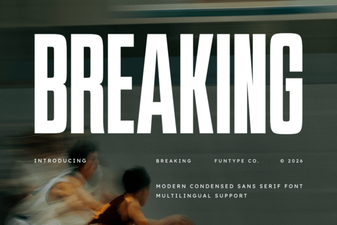 Breaking Font: Bold Typography Ideas for Modern Design
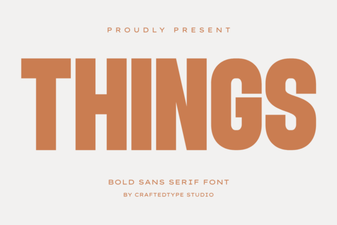 Things Font: a Minimalist Typeface for Creative Projects
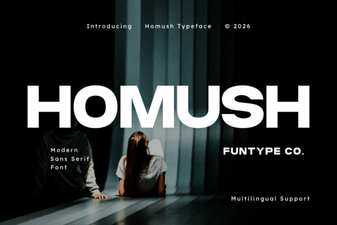 Homush Font: a Creative Typeface for Modern Designs
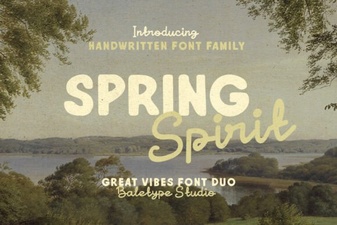 Spring Spirit Font: Creative Design Inspiration
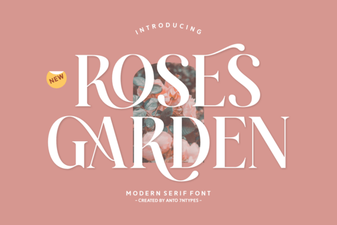 Roses Garden Serif Font | Free Download
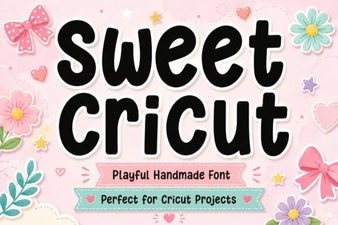 Sweet Cricut Font Ideas for Beautiful Handmade Designs